
In today’s digital world, capturing and saving Live Photos on your iPhone has become quick, easy, and incredibly seamless. However, you may sometimes encounter issues when your live photos are deleted or become inaccessible. Losing precious Live Photos from your iPhone can feel frustrating, especially when you don’t have a backup to rely on. Whether the photos were accidentally deleted or lost due to a system glitch, there are still ways to recover them—even without a backup.
In this article, we’ll explore different methods on how to restore deleted live photos on an iPhone without backup. Simply follow each approach step by step to recover your Live Photos without relying on iCloud or iTunes.
What Are Live Photos and Why Is Recovery Tricky?
Live Photos, introduced by Apple iPhone, is a capturing option which allows you to capture 1.5 seconds before and after a shot. This makes your static photo a moving one. These files are more complex than standard photos because they include both a JPEG image and a short video clip.
When your Live photo is deleted, it isn’t immediately permanently erased from your iPhone. However, since they involve multiple file components, recovery can be slightly more complicated compared to regular photos.
How do I Recover Deleted Live Photos on iPhone? [Quick Methods]
Having a backup of your deleted Live Photos can be extremely helpful when recovering them after accidental or unexpected deletion. However, if no backup is available, you can try the methods below one by one to restore your deleted Live Photos on your iPhone.
Method 01: Check the “Recently Deleted” Folder
Before diving into advanced methods to recover your deleted live photos on your iPhone, you can check the Recently Deleted folder. All deleted photos – including Live Photos – go to the Recently Deleted folder before being permanently erased.
Follow the below steps to recover your lost live photos from the Recently Deleted folder on your iPhone:
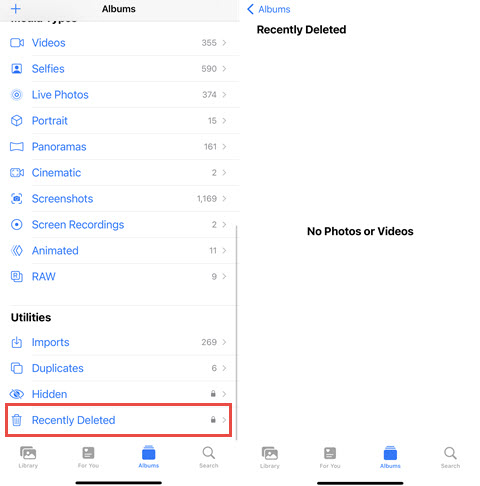
Note: Deleted live photos remain in the Recently Deleted folder only for 30 days. If you fail to find your photos here, try other photo recovery workarounds.
Method 02: Recover Using Hidden Album
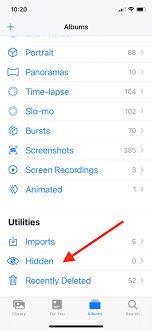
Sometimes your live photo isn’t actually deleted from your iPhone – it may just be hidden. It can happen when photos are accidentally moved to the Hidden album instead of being deleted. To recover your live photos from the Hidden album:
Method 03: Use Third-Party iPhone Data Recovery Software
Since you don’t have any backup of your lost photos, it’s good to utilise professional iPhone data recovery software to recover your deleted live photos easily. Tools like Stellar Data Recovery for iPhone are especially designed to thoroughly scan your iPhone for lost data recovery, including your deleted live photos. You can use this tool to restore deleted photos, videos, documents, and other types of files in various file formats.
Why Use Stellar Data Recovery for iPhone?
Before diving into how to restore deleted live photos on iPhone without backup using this amazing software, it’s important to understand why this tool stands out:
Step-by-Step Guide to Recover Deleted Live Photos
Step 1: Download and install the Stellar Data Recovery for iPhone software on your Windows PC or Mac. Also, connect your iPhone to that device using a USB cable.
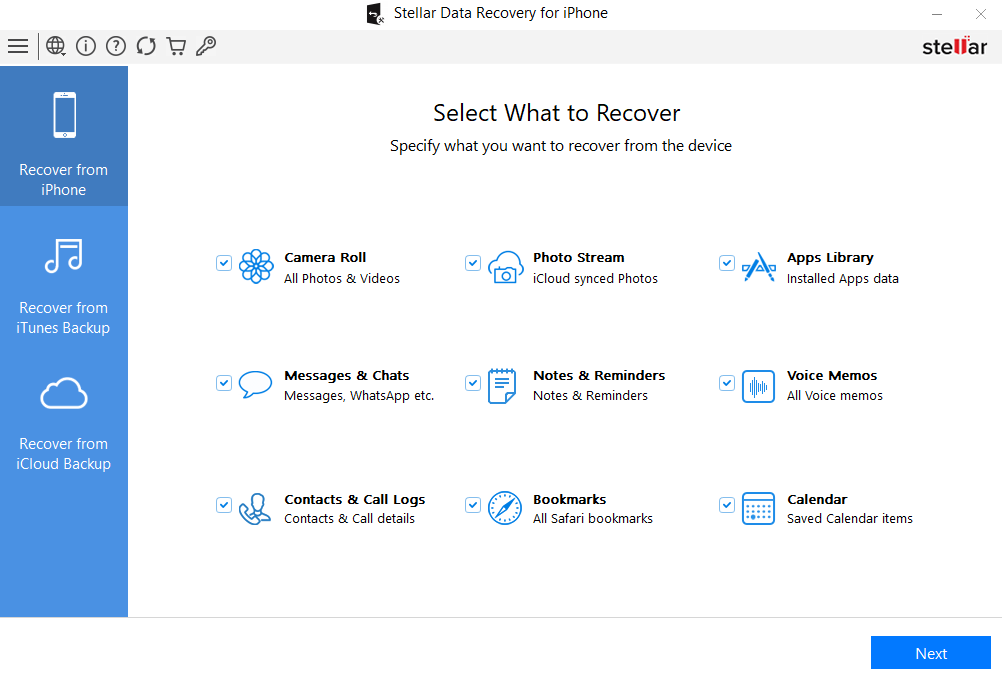
Step 2: Launch the software and from the homepage, select the “Recover from iPhone” option from the left pane and choose Camera Roll (as you need to restore deleted live photos). Click Next to continue.
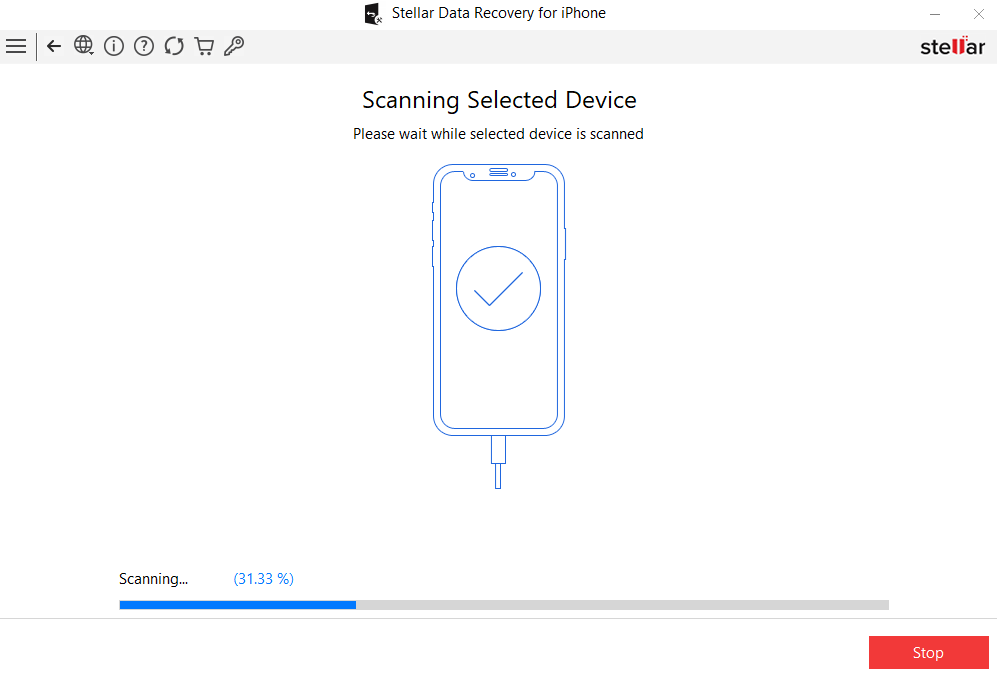
Step 3: Click the Scan button and wait till the scanning process is complete. This may take a few minutes, depending on the storage size and data volume.
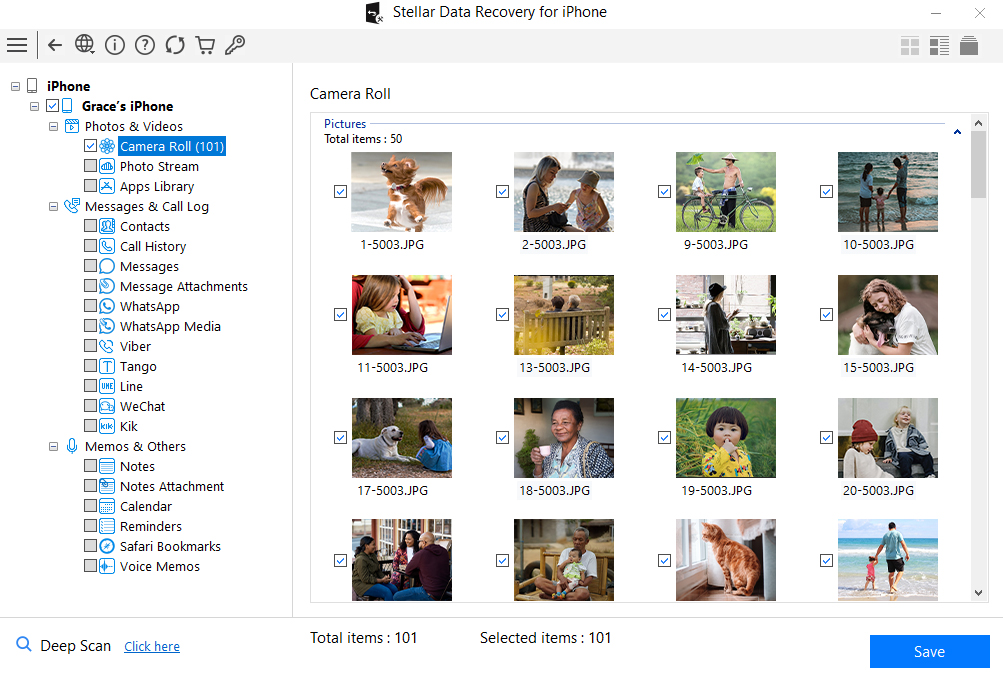
Step 4: Once the scan is complete, the software will display all recoverable photos. Preview the photos and select the live photos you need to restore. Click Save to save selected photos on your computer.
How to Prevent Losing Live Photos in the Future?
Recovering lost live photos using the aforementioned iPhone data recovery methods is easy, but it’s good to avoid such instances from your end. Here are some practical tips that can help you in avoiding such unforeseen instances:
Enable iCloud Photos
Automatically syncs your Live Photos across devices and securely stores them in iCloud, ensuring easy access and recovery anytime when needed.
Maintain Regular Backups
Create regular backups using iCloud or iTunes to protect your Live Photos, making recovery simple in case of accidental deletion.
Avoid Immediate Deletion
Always double-check before deleting any Live Photo to prevent accidental loss, as once permanently deleted, recovery becomes difficult without backups.
Export Important Photos
Export important Live Photos to your computer or external drive regularly, ensuring offline access and protection against unexpected data loss situations.
Wrapping Up
Losing Live Photos without a backup can feel stressful, but recovery is still possible using the aforementioned photo recovery methods. Start with simple solutions like checking the Recently Deleted folder and Hidden album, and then move to third-party iPhone data recovery software such as Stellar Data Recovery for iPhone if needed.
While success isn’t guaranteed, especially after a long delay, the aforementioned methods can help you recover your precious memories with ease. The key is to stop using your device immediately and begin recovery as soon as possible.
Frequently Asked Questions (FAQs)
Can permanently deleted Live Photos be recovered without backup?
Yes, you can use third-party iPhone data recovery software like Stellar Data Recovery for iPhone to get your permanently deleted live photos.
Why is there no sound on Live Photo?
There could be several reasons behind no sound on Live Photo, such as silent mode being enabled, low volume, or the sound being muted during editing.
Do Live Photos lose motion after recovery?
If recovered correctly, Live Photos retain their motion and sound. Otherwise, recovery may only restore the still image without animation.
How long do deleted photos stay on an iPhone?
Deleted photos stay in the Recently Deleted folder for up to 30 days, after which they are permanently removed from your device.