
Most people who want to create short videos have no shortage of ideas. What they lack is a practical way to go from concept to finished clip without spending hours inside complicated editing software. The editing phase alone — trimming clips, adjusting transitions, syncing audio — can kill momentum before a single second of content goes live.
The good news is that creating animated video content no longer requires a production background. The pipeline has changed significantly in the past two years, and for everyday creators, marketers, and small business owners, that change is genuinely useful.
Why the Editing Bottleneck Is the Wrong Problem to Solve
Here’s a counterintuitive point: most beginners try to get better at editing when they should be focusing on generating something worth editing in the first place. If you don’t have a strong visual starting point, no amount of trimming and color-grading will fix the content.
Animation, as a medium, sidesteps this issue. Because the visuals are generated rather than filmed, you’re not locked into footage you captured on a specific day, under specific lighting, with specific equipment. You define the concept, and the tool builds from there.
This is why the first tool in any beginner’s workflow should be something designed for creation, not editing.
From Concept to Animated Clip: A Simpler Starting Point
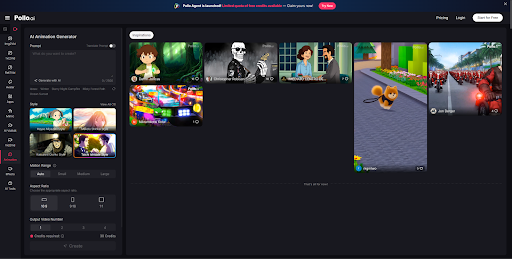
The Pollo AI animation generator is built around exactly this idea — removing the friction between a concept in your head and a shareable animated clip. You don’t need to storyboard, film, or assemble footage. Instead, you describe what you want, provide a prompt or a source image, and the tool handles the motion.
Here’s a basic workflow that works well for beginners:
Step 1: Define your concept in plain language. Don’t overthink this. Write one or two sentences about what the animation should show. “A small coffee shop at sunrise with warm lighting and steam rising from cups” is enough to work with.
Step 2: Choose your input method. Depending on the tool, you can either start from a text prompt or upload a reference image. Text prompts work well for stylized animations; images give you more visual consistency if you have existing brand assets.
Step 3: Generate, review, and iterate. Most AI animation tools produce a first version quickly. The goal at this stage isn’t perfection — it’s getting a usable visual that you can react to. Adjust the prompt based on what you see.
Step 4: Export and refine for your platform. Once you have an animated clip you’re happy with, export it in the right format for where it’s going — vertical for Reels or TikTok, square or landscape for other placements.
The generation step is where most time gets saved. For many use cases, what used to take hours of editing can now be handled in a fraction of that time.
Where Light Editing Still Has a Role
Animation generation gets you most of the way there, but there are moments when a bit of post-production polish makes a real difference. Adding captions, adjusting music timing, shortening the clip to hit a platform’s ideal length — these are tasks suited to a lightweight video editor rather than a full production suite.
If you already use a short-form video editor for these kinds of finishing tasks, you’ll notice that animation generators integrate cleanly into that stage.
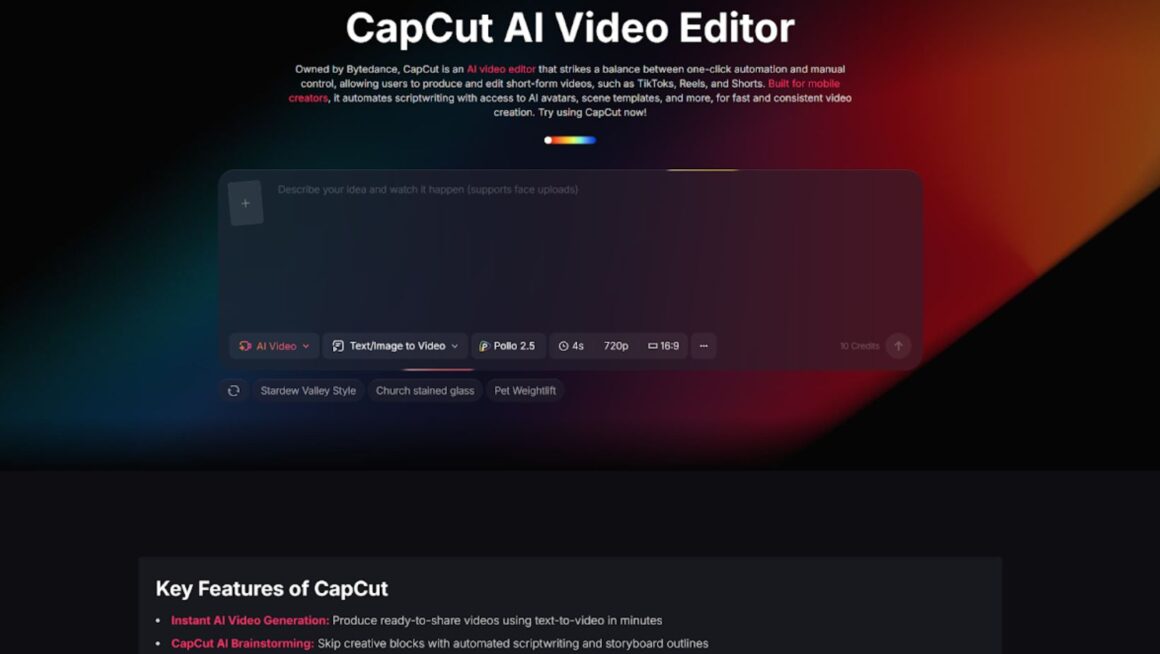
Tools in the CapCut space can handle the refinement steps after you’ve already done the heavier creative lifting in an animation tool.
Think of it as a two-step process: generate first, refine second. That order makes the whole pipeline significantly less intimidating.
Practical Tips for First-Time Creators
- Start with shorter clips. A five-to-ten second animation is easier to iterate on and more likely to fit social platform requirements without modification.
- Keep your prompt specific but not overly complex. One main subject, one mood, one setting. Overloaded prompts produce muddled visuals.
- Test multiple versions before committing. Most AI animation tools let you run variations quickly. Use that flexibility.
- Match the animation style to your brand or content type. A playful loop works for social; a clean, neutral animation works better for product teasers.
- Don’t treat the first output as final. The value of AI generation is iteration speed, so use it.
The Bigger Picture
The gap between “I have an idea” and “I have a finished video” has never been smaller. The tools have changed enough that the bottleneck is no longer skill or software access — it’s knowing which step to start with.
Start with generation, refine lightly, and publish. That loop, repeated consistently, produces more content and better results than waiting until you feel ready to edit like a professional.